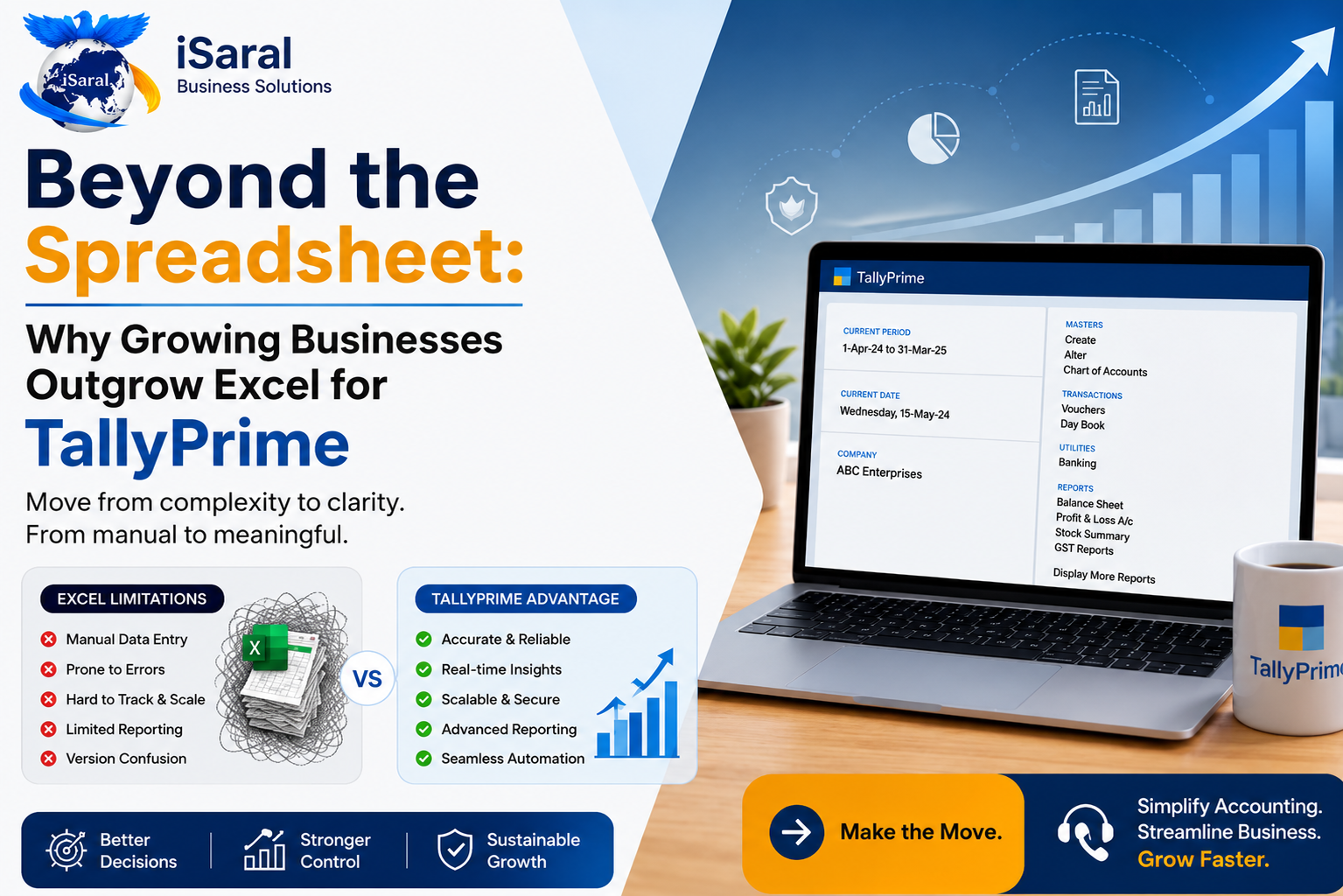
Beyond the Spreadsheet: Why Growing Businesses Outgrow Excel for TallyPrime
For decades, the business world has praised Microsoft Excel as an unsung hero. When a company is in its infancy and its operations are straightforward, it is the ultimate multipurpose tool for note-keeping, calculation, and planning. But as soon as your business starts drafting bank receipts, however, an expectation to stay and spread risks even further starts to arise every time your team tries to complete something more complex than an efficiency check. This question comes from "What is a spreadsheet as compared to how it serves a business?"
As business evolves, that spreadsheet-founding transitions from an asset into a dangerous liability. A system that works perfectly for a team of two handling five transactions a day becomes an operational nightmare for a team of twenty managing hundreds of moving parts. Tracking inventory, managing multi-location stock, maintaining compliance deadlines, and staying audit-ready — Excel simply was not built for these challenges.
If you find yourself constantly fixing broken formulas, chasing last-minute file conflicts, or wondering why your physical inventory doesn't match your digital records, you have reached a critical crossroads. This blog that uncovers the hidden costs of managing operations on spreadsheets, and discusses why using a proper business management software to hold their phase of growth.
The Excel Problem No One Talks About
Excel is a powerful tool — but it was designed as a calculation tool, not an accounting system. The moment your business grows beyond a handful of transactions per day, the cracks begin to show. Growing businesses across India are discovering that what served them at launch becomes the very thing that holds them back at scale.
1. The Nightmare of Manual Errors vs. Structured Accuracy
The Excel Pain Point: The Fragile Spreadsheet
In Excel, every single cell represents a vulnerability. A single accidental keystroke, a misplaced paste, or a broken link can silently corrupt your data. These errors are normally silent — none of an early warning system alerts you something is wrong. The error is simply absorbed into the spreadsheet, silently transforms into a result that ultimately runs through your data and begins distorting your financials during an audit.
The five most dangerous types of Excel errors that growing businesses face:
- 1The Overwrite Error — A team member pastes data over existing formulas, silently removing months of calculated logic with no undo trail.
- 2The Formula Break — A row is deleted or moved, snapping cell references and producing silent zeros or #REF! errors across dependent sheets.
- 3The Pro Tier Reference — Two versions of the same file are edited separately, creating conflicting data that no one notices until a discrepancy surfaces.
- 4The Rounding Loss — Subtle rounding differences across hundreds of GST line items accumulate into significant filing discrepancies under tax scrutiny.
- 5The Deletion Error — Historical transaction rows are accidentally deleted during cleanup, creating gaps in the audit trail that are impossible to reconstruct.
The TallyPrime Solution: Built-In Accounting Integrity
The need for absolute data integrity highlights a major reason why growing businesses outgrow Excel for TallyPrime. TallyPrime is specifically designed so it right-sized to always prevent issues once you enter a transaction it automatically verifies the data. As TallyPrime automatically makes it extremely difficult to commit an error — "when you enter a transaction once, it echoes across every related report simultaneously."
- Silent formula corruption with no audit trail
- No double-entry enforcement — imbalances go undetected
- Manual reconciliation across multiple files
- Version conflicts when multiple users edit simultaneously
- No transaction-level locking or tamper prevention
- Double-entry accounting enforced at every transaction
- Automatic cross-ledger updates — one entry, all reports updated
- Complete audit trail — every change tracked with user and timestamp
- Concurrent multi-user access with real-time data consistency
- Immutable transaction records with optional password protection
2. Why Growing Businesses Outgrow Excel for TallyPrime GST Compliance
The Excel Pain Point: The Regulatory Minefield
If you handle compliance, you already know how complex staying on top of all GST requirements truly is. Keeping pace with the GST schedule, tracking taxes across products with different rates, filing your returns accurately, and maintaining the precise documentation needed if you're ever audited — all of this becomes a full-time manual job when you're doing it in Excel.
Businesses that rely on Excel for GST compliance are walking a dangerous path:
- Tax rates entered manually across hundreds of invoice rows — one typo creates a filing error
- GSTR-1, GSTR-3B, and reconciliation reports built by hand every quarter
- No automatic late-fee detection or penalty alerts
- HSN code management entirely manual with no validation
- Input Tax Credit calculations prone to rounding and omission errors
The TallyPrime Solution: Automated Compliance at the Point of Sale
Compliance automation is another core factor behind why growing businesses outgrow Excel for TallyPrime. The system handles GST at every transaction level — not as a separate reporting layer you bolt on afterwards.
If your team adds a line to a sales invoice and selects a line item that carries a 12% GST rate instead of 18%, the system immediately flags the mismatch. No more completing an entire invoice and discovering a rate error at submission time.
The system automatically compiles your GSTR data from day-to-day entries, allowing you to file GSTR-1 and GSTR-3B directly from the software without any third-party tools or manual data transfer.
You can generate e-invoices and e-way bills directly from TallyPrime without switching applications, removing the manual upload step entirely and keeping your invoice data consistent throughout.
3. Inventory Chaos vs. Real-Time Inventory Management
The Excel Pain Point: Blind Spots in the Supply Chain
Managing inventory in Excel is one of the most common pressure points for growing businesses. As your product range expands to include raw materials, finished goods, batch numbers, and expiry dates, Excel quickly turns into an operational liability. Poor inventory data means tying up too much working capital in overstocked items or losing potential revenue to stockouts of items that customers actually want.
The TallyPrime Solution: Absolute Control Over Your Stock
TallyPrime deeply integrates inventory management with your financial accounting. The moment a sale is entered or a purchase receipt is recorded, inventory balances adjust automatically across all reports.
You can track the exact location of your stock offering, whether it sits in Pune, Warehouse A, or Delhi Warehouse B. Multi-location stock tracking gives you a real-time picture of where every item is at any given moment.
For businesses handling perishable goods or manufacturing batches, TallyPrime tracks batches and manufacturing dates automatically, ensuring you always move stock in the correct order and stay compliant.
You can set minimum stock thresholds so the system triggers alerts exactly when you need to reorder — eliminating the guesswork that leads to costly stockouts or excess inventory carrying costs.
4. Why Growing Businesses Outgrow Excel for TallyPrime Security and Speed
The Excel Pain Point: The Vulnerable Document
Password-protecting an Excel spreadsheet provides a false sense of security. Users can easily copy files, email entire worksheets, or accidentally share the wrong version. Furthermore, Excel files can freely be shared across devices without any centralised access log, meaning you have no reliable way of knowing who accessed what, when, or whether they extracted data.
The TallyPrime Solution: Secure, Enterprise-Grade Control
TallyPrime strictly accommodates customisable, secure business permissions. Roles and privileges can be set at the company, database, voucher type, and report level — giving you precisely the control you need over every aspect of your business data.
Assign each person on your team exactly the data they need to do their job. A sales entry operator can create invoices but cannot access the balance sheet. A data entry clerk cannot modify or delete past entries — only create new ones going forward.
TallyPrime maintains a comprehensive history of edits, showing exactly which users, internet addresses, and internal stations interacted with every single record — providing complete accountability for every change made in the system.
The system actively encrypts your financial data, preventing unauthorised external access at the technical level — not just through access passwords that can be shared or easily guessed.
Excel vs. TallyPrime — Complete Comparison
Here is a full side-by-side look at how Excel stacks up against TallyPrime across every dimension that matters for a growing Indian business:
| Feature / Capability | Microsoft Excel | TallyPrime |
|---|---|---|
| Accounting Accuracy | Manual — error-prone | Double-entry enforced automatically |
| GST Compliance | Manual calculations, external filing tools | Built-in, ready-to-file GSTR reports |
| Inventory Management | No real-time stock sync | Live inventory linked to accounts |
| Multi-User Access | Version conflicts, file-locking issues | Concurrent multi-user with central data |
| Audit Trail | None — changes are invisible | Full user-level change history |
| Data Security | Basic password, easily bypassed | Role-based permissions + encryption |
| E-Invoice / E-Way Bill | Manual upload to GST portal | Direct generation within TallyPrime |
| Payroll Management | Separate sheet, no statutory automation | Built-in with PF, ESI, PT compliance |
| Business Reports | Manual creation, prone to formula errors | Instant P&L, Balance Sheet, MIS reports |
| Scalability | Performance degrades with data volume | Handles millions of transactions smoothly |
| Implementation Cost | Low initial cost | Higher upfront investment |
| Long-Term Business Cost | High — errors, compliance fines, manual time | Lower — automation reduces operational overhead |
Who Should Make the Switch to TallyPrime?
Not every business needs to migrate on day one — but there are clear signals that tell you when Excel has reached its ceiling for your operation.
Excel is Slowing You Down
You are spending more than 2 hours daily on manual data entry, reconciliation, or fixing broken formulas — time that could be reinvested in growing your business.
Compliance is a Monthly Crisis
Every GST filing period becomes a stressful sprint to reconcile sheets, cross-check figures, and hope nothing was missed. TallyPrime eliminates this cycle entirely.
Your Team Has Outgrown One File
Multiple people are editing copies of the same spreadsheet — and you never know which version is the actual current one. Centralised TallyPrime data ends this problem.
Inventory Numbers Don't Add Up
Your physical stock and your Excel records frequently don't match. If you cannot trust your own inventory data, you cannot make confident buying or pricing decisions.
Why Choose Us?
Get full access to TallyPrime premium features for 7 days, completely free.
Full Access
Access all TallyPrime features without any restrictions during your trial
No Credit Card
Start instantly without providing any payment details upfront
Expert Support
Our dedicated TallyPrime team is here to guide your entire migration
Cancel Anytime
No hidden charges or long-term commitments required at any point
Conclusion: Making the Shift for Sustainable Growth
Excel will always have a place in the business world — for quick modelling, not calculations, and one-off analysis. But when you ask it to run the operational backbone of a growing company, it begins to accumulate technical debt that costs real money: in errors, in compliance penalties, in wasted staff hours, and in delayed decisions made with unreliable data.
In discussing why growing businesses outgrow Excel for TallyPrime, the core insight is simply this: as you grow, you're not just adding more transactions — you're adding more people, more complexity, more risk, more compliance obligations, and more customers who depend on you to get it right every time. Excel cannot scale with you safely. TallyPrime can.
Stop managing your business on side and start building on a foundation that grows with you. Upgrade to a solution built for the way Indian businesses actually work. The best time to make the switch was last year — the second best time is now.
Explore More
Single User vs Multi User TallyPrime – Which One Should You Choose?
A complete breakdown of both editions to help you pick the right one for your business size and budget.
AI SkillsStart Learning AI in iSaral — Under 37 Hours to New Skills
Discover how professionals are upskilling in AI tools through iSaral's structured learning paths.
Business GrowthTop AI Tools for Growing Your Business in 2026
The practical AI tools that Indian SMEs are adopting right now to automate operations and cut costs.