
📋 In This Article
- Why Tracking Customer Pending Payments Is Important
- What Is Bill-Wise Tracking?
- How to Enable Bill-Wise Tracking
- View Outstanding Reports
- Understanding the Receivables Report
- Ageing Analysis & Prioritization
- Managing Partial Payments
- Best Practices for Receivables
- Common Challenges & Solutions
- Why Choose TallyPrime
- FAQs
- Conclusion
Master Customer Payment Tracking in TallyPrime
See how bill-wise tracking, ageing reports, and automated reminders work together.
- ✅ Bill-wise payment tracking
- ✅ Real-time ageing analysis
- ✅ Automated payment reminders
- ✅ Free personalised walkthrough
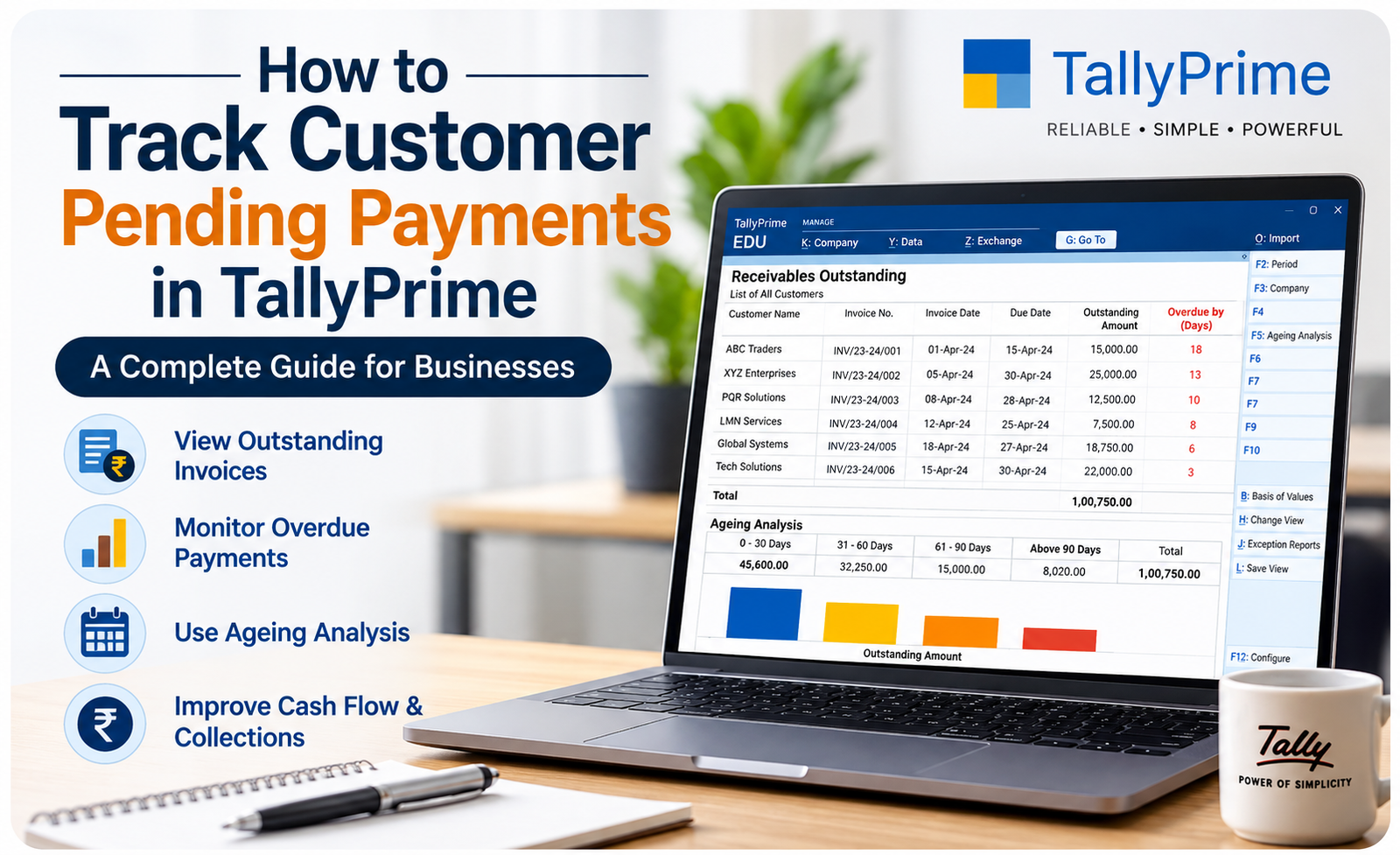
How to Track Customer Pending Payments in
TallyPrime: A Complete Guide for Businesses
Managing customer payments is one of the most critical aspects of running a successful business. Delayed payments can disrupt cash flow, strain working capital, and reduce profitability. Fortunately, TallyPrime offers powerful tools that help businesses track pending payments, monitor outstanding invoices, and improve collection efficiency with ease.
In this comprehensive guide, you’ll learn how to track customer pending payments in TallyPrime, generate outstanding reports, use bill-wise tracking, and follow best practices for maintaining healthy cash flow and strong customer relationships.
Why Tracking Customer Pending Payments Is Important
Every business extends credit to customers at some point. However, if outstanding invoices are not monitored regularly, they can create serious financial challenges.
❌ Without Tracking
Cash flow shortages
Delayed vendor payments
Poor financial planning
Increased bad debt risk
✅ With TallyPrime Tracking
Improved cash visibility
Timely collections
Better financial forecasting
Reduced bad debt exposure
By tracking customer dues regularly, businesses can improve collections and maintain stronger, more professional customer relationships based on clear expectations and timely follow-ups.
What Is Bill-Wise Tracking in TallyPrime?
Bill-wise tracking is a powerful feature in TallyPrime that links every sales invoice with its corresponding payment. Instead of viewing only the total outstanding amount for a customer, businesses can see individual invoices, their due dates, and payment status.
| Invoice # | Date | Amount | Status | Outstanding |
|---|---|---|---|---|
| INV-2026-001 | 1 Jul 2026 | ₹50,000 | Paid | ₹0 |
| INV-2026-002 | 10 Jul 2026 | ₹75,000 | Partial | ₹25,000 |
| INV-2026-003 | 18 Jul 2026 | ₹100,000 | Pending | ₹100,000 |
💡 Key Benefit: Bill-wise tracking eliminates confusion about which specific invoices are pending and helps businesses prioritize follow-ups based on amount and overdue status.
How to Enable Bill-Wise Tracking in TallyPrime
1. Enable Bill-wise Details in Features
Open TallyPrime
Press F11 (Features)
Select Accounting Features
Enable Maintain Bill-wise Details
2. Configure Customer Ledger
Create or edit a customer ledger
Enable Bill-wise Details in the ledger settings
Set credit period if applicable (e.g., Net 30)
Save the ledger configuration
3. Record Sales Invoices
Create a sales voucher (F10)
Select the customer with bill-wise tracking enabled
Record the sale amount and details
Each invoice becomes an individual trackable bill
How to View Customer Outstanding Reports
TallyPrime provides a dedicated report for monitoring customer dues and pending payments across your business.
Navigate to:
Display → Statements of Accounts → Outstanding → Receivables
The report displays:
- Customer Name
- Invoice Number and Reference
- Invoice Date and Due Date
- Outstanding Amount
- Number of Days Outstanding (Ageing)
- Payment Status
💡 Pro Tip: Export this report weekly and share it with your sales team for quick follow-ups on overdue accounts before they become critical.
Understanding the Receivables Report
The Receivables Report is your primary tool for identifying overdue invoices and managing collections strategically.
| Report Field | Description | Action |
|---|---|---|
| Customer Name | Name of the customer | Identify account |
| Invoice Number | Invoice reference ID | Track specific bill |
| Invoice Date | Date invoice was created | Verify timeline |
| Due Date | Payment due date | Monitor deadline |
| Outstanding Amount | Pending payment amount | Prioritize collection |
| Ageing Days | Number of overdue days | Assess urgency |
This report allows businesses to prioritize collections based on overdue periods, customer importance, and payment amount.
Using Ageing Analysis to Prioritize Collections
One of the most powerful features in TallyPrime is Ageing Analysis. Instead of displaying all invoices together, it groups pending payments into time-based categories, helping you focus collection efforts strategically.
📊 TallyPrime Ageing Categories
0–30 Days: Recent invoices requiring polite reminders
31–60 Days: Invoices needing direct communication
61–90 Days: Invoices requiring urgent follow-up
Above 90 Days: Critical accounts requiring management attention
This categorization helps reduce bad debts by ensuring timely follow-ups and improving cash flow planning. Overdue invoices become harder to collect the longer they remain outstanding.
Managing Partial Payments in TallyPrime
Customers do not always pay the full invoice amount in one transaction. TallyPrime handles this seamlessly by allowing businesses to record:
💳 Partial Payments
Split Transactions
Record payment for a portion of an invoice and track the remaining balance automatically.
📋 Multiple Payments
Sequential Settlements
Multiple installments against one invoice are tracked individually.
⏳ Advance Payments
Pre-Invoice Amounts
Advance payments are recorded and automatically adjusted against invoices.
🔄 Adjustments
Discounts & Adjustments
Record discounts, credit notes, or other adjustments against bills.
Whenever a payment is recorded, TallyPrime automatically updates the remaining balance, ensuring accurate records and eliminating manual calculations and accounting errors.
Best Practices for Efficient Receivable Management
✔︎ Proven Practices to Improve Collections
Review outstanding reports weekly to catch issues early
Set realistic credit limits for each customer based on payment history
Clearly define payment terms on every invoice before sending
Send invoices immediately after sales or delivery
Follow up with customers before due dates to prevent delays
Record every payment promptly to keep records current
Regularly review ageing reports to identify problem accounts
Encourage digital payment methods (bank transfer, online) for faster settlements
Send WhatsApp or email reminders automatically using TallyPrime integrations
Maintain professional relationships even during collection follow-ups
Common Challenges Businesses Face & How TallyPrime Solves Them
| Challenge | Without TallyPrime | With TallyPrime Tracking |
|---|---|---|
| Forgetting overdue follow-ups | Manual reminders easy to miss | Automated alerts & reports |
| Tracking partial payments | Spreadsheet confusion & errors | Automatic balance updates |
| Multiple customer terms | Hard to maintain consistency | Customer-wise settings |
| Cash flow visibility | Reactive, difficult forecasting | Real-time reports & dashboards |
| Collection prioritization | No clear strategy | Ageing analysis guides focus |
| Audit compliance | Scattered, incomplete records | Complete audit trail |
Why Choose TallyPrime for Payment Tracking?
TallyPrime is specifically designed to simplify accounting while providing powerful business insights for managing receivables.
📊
Real-Time Receivable Reports
Instant access to outstanding amounts and payment status across all customers.
💼
Bill-Wise Tracking
Track every invoice individually with complete payment history and status.
📈
Ageing Analysis
Automatic categorization of invoices into 30/60/90+ day buckets for focused collections.
🔔
Automated Reminders
Built-in reminder scheduling and notification system for overdue payments.
🛡️
Secure & Compliant
GST-ready, tax-compliant, and secure financial records with complete audit trail.
⚡
Easy Reconciliation
Every payment is linked to its corresponding invoice, simplifying account verification.
FAQs
1. How can I track customer pending payments in TallyPrime?
Enable bill-wise details in Features (F11), configure your customer ledgers, and then view the Outstanding Receivables Report under Display → Statements of Accounts.
2. What is bill-wise tracking and why is it important?
Bill-wise tracking links each invoice with its payment status, allowing you to monitor individual outstanding invoices rather than just total customer balances.
3. Can TallyPrime handle partial payments and adjustments?
Yes. TallyPrime automatically updates the outstanding balance whenever a partial payment, adjustment, or credit note is recorded against an invoice.
4. How does ageing analysis help with collections?
Ageing analysis categorizes invoices into 30, 60, 90, and 90+ day buckets, helping you prioritize follow-ups on the most overdue accounts first.
5. Can I set different payment terms for different customers?
Absolutely. Each customer ledger can have custom payment terms, credit periods, and credit limits based on your agreement with them.
6. How often should I review the Outstanding Reports?
Review outstanding reports at least weekly to identify overdue invoices early and maintain consistent cash flow management.
Conclusion
Tracking customer pending payments is essential for maintaining a healthy business. Delayed collections can impact cash flow, reduce profitability, and create unnecessary financial stress.
With TallyPrime’s bill-wise tracking, outstanding reports, ageing analysis, and payment reconciliation features, businesses can monitor receivables efficiently and improve collection performance.
By reviewing outstanding reports regularly, following up on overdue invoices, and adopting disciplined credit management practices, businesses can strengthen cash flow, reduce bad debt risk, and build long-term, professional customer relationships based on clear expectations and timely payments.
Why Choose iSaral for TallyPrime Pricing & Implementation?
As an authorized Tally partner in Bangalore, iSaral Business Solutions specializes in helping seasonal businesses find the most cost-effective TallyPrime licensing strategy.
Get a Free TallyPrime Payment Tracking Demo
Share a few details and our team will walk you through bill-wise tracking, ageing reports, and automated reminders in TallyPrime — free of charge.
See every invoice, payment status, and outstanding amount individually
Automatic categorization into 30/60/90-day buckets for prioritized collections
Built-in notifications before and after due dates to improve collections
Monitor outstanding payments and cash flow visibility from one screen
1000+
Bill-Wise Tracking
4+
Ageing Buckets
24/7
Demo Response