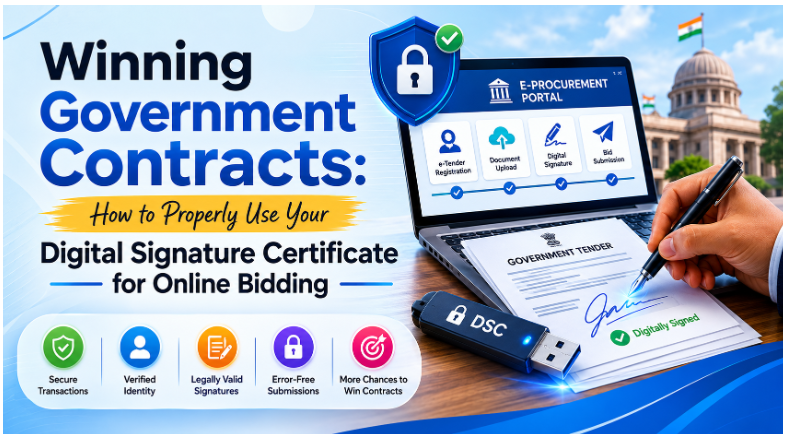
Winning Government Contracts: How to Properly Use Your Digital Signature Certificate for Online Bidding
Government bids offer big opportunities for businesses of all sizes. Whether you’re supplying products and services or handling large projects, winning government contracts can bring reliable income and help your business grow for a long time. But to take part in government online buying, businesses need to follow certain rules, and one of the most important is using a Digital Signature Certificate (DSC).
A Digital Signature Certificate for online government buying is key for proving documents are real, keeping transactions safe, and making sure everything is legal when you submit your bid. Knowing how to use your DSC correctly can help you not make mistakes, get your submission rejected, or miss out on chances.
In this guide, we’ll explain everything you need to know about using a DSC for online government buying and bidding.
What is a Digital Signature Certificate (DSC)?
A Digital Signature Certificate is a safe digital key given out by a Certifying Authority (CA) that proves who a person or company is online.
It works like a digital version of your handwritten signature and is officially recognized by law in India, under the Information Technology Act of 2000.
Businesses use DSCs to:
- Sign electronic documents
- Prove bids are real
- Make online payments safe
- Confirm company identity
- Follow government buying rule
For bidding on government contracts, a valid DSC is a must on most online government buying sites.
Why is a DSC a Must for Government Bid Submissions?
Government buying systems are set up to be clear, safe, and impossible to change without notice. A DSC helps make this happen by making sure of these things:
Proof of Identity
It confirms who is submitting the bid.
Integrity
It makes sure no one changes documents after they’re signed.
Non-Repudiation
It stops bidders from saying they didn’t send in their bid later on.
Legal Compliance
It gives you a signature that’s legally recognized by the government.
If you don’t have a valid DSC, most government online bidding sites won’t let you submit bids.
Understanding Online Government Buying and Bidding Sites
Government departments use different online systems to handle their buying needs and bids.
Some Popular Sites Include:
- Government e-Marketplace (GeM)
- Central Public Procurement Portal (CPPP)
- State e-Procurement Portals
- Railways E-Procurement Systems
- Defence Procurement Portals
- Public Sector Undertaking (PSU) Tender Portals
Each site might have its own rules for DSCs, but the main steps are usually the same.
Types of DSCs You Need for Online Government Buying
Not every Digital Signature Certificate works for submitting bids.
Class 3 DSC
A Class 3 DSC is the most common and accepted certificate for:
- Online bidding
- Online government buying
- Sending in bids
- Government contract submissions
It provides the best security and identity check.
Organization DSC
Businesses taking part in bids should ideally get an Organization DSC, which stands for the company, not just one person.
Benefits Include:
- More trust
- Company-wide proof of identity
- Simpler to follow rules
- Verifies who can sign for the company
Steps to Use Your DSC for Bid Submission
Using a Digital Signature Certificate correctly is really important if you want your bid to go through.
Step 1: Get a Valid DSC
Before signing up on any bidding site:
- Purchase a valid Class 3 DSC
- Make sure your company details are correct
- Check how long the certificate is good for
- Keep your DSC safe on a USB stick
Always purchase DSCs from approved providers.
Step 2: Install the Software You Need
Most online government buying sites require:
USB Token Drivers
Install the driver that came with your DSC USB stick.
DSC Utility Software
Many bidding sites require special signing programs.
Browser Configuration
Some sites work best with certain browser settings and Java parts.
Always look at the portal’s instructions first.
Step 3: Sign Up on the Bidding Site
Create an account using:
- Your company’s information
- Your PAN details
- Your GST details
- How to reach you
During Registration:
- Attach the DSC
- Check your company’s credentials
- Finish all identity checks
Your DSC will then be connected to your account on the site.
Step 4: Check if Your DSC Works
Before filing any bid:
Test the Certificate
Make sure:
- The USB stick with the DSC is recognized
- The certificate shows up
- The password for it works
Check if It’s Still Valid
Confirm that:
- The certificate hasn’t run out
- Your company’s details match what’s on the site
- The signing features work right
Checking it beforehand stops problems when you’re trying to submit at the last minute.
Step 5: Upload Your Bid Documents
Get all the documents you need ready, like:
- Technical proposal
- Financial bid
- Company registration documents
- GST certificates
- PAN card
- Experience certificates
- Compliance declarations
Ensure Files Are:
- In the right file types
- Not too big in size
- Named clearly
- Not corrupted
Step 6: Sign Your Documents Digitally
Why Signing Is Important
If documents aren’t signed, they usually get rejected right away.
When Signing:
- Put in your DSC USB stick.
- Open the signing program.
- Pick your certificate.
- Type in your USB stick’s password.
- Add the digital signature.
Make sure every document that needs signing has been signed correctly.
Step 7: Submit Your Bid Before the Deadline
Lots of companies miss out because they wait until the last minute.
Good Tips for This Are:
- Send it in at least 24 hours before the deadline.
- Have a backup internet connection ready.
- Save your submission confirmation.
- Download copies that say your bid was received.
Government sites can get really busy right before the deadline.
Common DSC Problems During Bid Submission
Knowing about common problems can help you avoid getting your bid rejected.
Certificate Not Found
Possible Reasons:
- Driver isn’t installed
- USB stick isn’t working right
- Problems with your browser
What to Do:
Install the drivers again and check if the USB stick works.
DSC Has Expired
You can’t use an expired certificate to bid.
What to Do:
Renew your DSC before you try to bid on anything new.
Wrong Person Signed
Only the person allowed to sign for the company can sign the bid documents.
What to Do:
Make sure your authorization papers are up-to-date and all match.
Signature Didn’t Work
This happens when the signatures you upload can’t be verified.
What to Do:
- Sign documents again
- Update the portal’s programs
- Check if your certificate is still good
Best Ways to Manage Your DSC Safely
Your Digital Signature Certificate is a really important thing for your business.
Protect the USB Stick
Keep it somewhere safe and don’t let just anyone use it.
Keep Passwords Secret
Never tell anyone who isn’t supposed to know your USB stick’s passwords.
Watch Expiration Dates
Keep an eye on when your certificate runs out and renew it early.
Keep Backup Copies
Keep copies of:
- DSC certificates
- Letters of authorization
- Copies of your bids
- Confirmation from the portal
Use Special Ways to Handle Bids
Put specific people in charge of:
- Managing DSCs
- Watching bids
- Checking rules
This helps avoid problems when you’re working.
Benefits of Using Your DSC Properly for Government Bids
Companies that know how to use their Digital Signature Certificate well for online government buying get many benefits.
Faster Bid Submission
Digital ways mean no paperwork and no waiting for manual approvals.
Better Security
Keeps your important bid information safe.
Better Rule Following
You meet the government’s buying rules.
More Trust
It shows you’re professional and real.
Fewer Mistakes
Automatic checks help you submit things more accurately.
More Contract Chances
It lets you bid on more kinds of government contracts.
How DSC Helps Digital Changes in Government Buying
Government buying is moving more and more towards being fully digital.
A DSC Lets Businesses:
- Take part from anywhere
- Send in bids safely
- Find opportunities across the country
- Less paperwork
- Work more smoothly
As governments use more digital systems, having a DSC isn’t just about following rules anymore; it’s a smart business move.
Conclusion
A Digital Signature Certificate for online government buying is the key to successfully bidding on government contracts. From proving who you are and keeping documents safe to following legal rules and submitting smoothly, a DSC is vital at every step of the online bidding process.
Businesses that understand how to properly install, manage, and use their DSC can make far fewer mistakes when submitting bids, follow rules better, and have a much better shot at winning good government contracts. By following these good tips and keeping a valid, safe DSC, companies can confidently compete in the expanding world of digital government buying.