
📋 In This Article
- What Is a DSC for the GeM Portal?
- Is a DSC Required on GeM? DSC vs Aadhaar eSign
- Which DSC Class Is Needed for GeM?
- Who Needs a DSC for GeM and Government Tenders?
- Where Is a DSC Used on GeM?
- How to Get Your DSC Ready for GeM
- How to Sign GeM Bids Digitally Using DSC
- DSC for Other Government e-Tender Portals
- Common DSC Errors on GeM and How to Fix Them
- Tips to Use Your DSC Safely
- FAQs
- Conclusion
🔐 Isaral DSC Services
Get Your Genuine Digital Signature Certificate
Get secure DSC services for individuals, businesses and organizations with expert assistance.
✓ Class 3 Individual DSC
✓ Class 3 Organisation DSC
✓ DGFT & Document Signer DSC
✓ DSC Renewal & Support
✓ Fast Verification & Expert Assistance
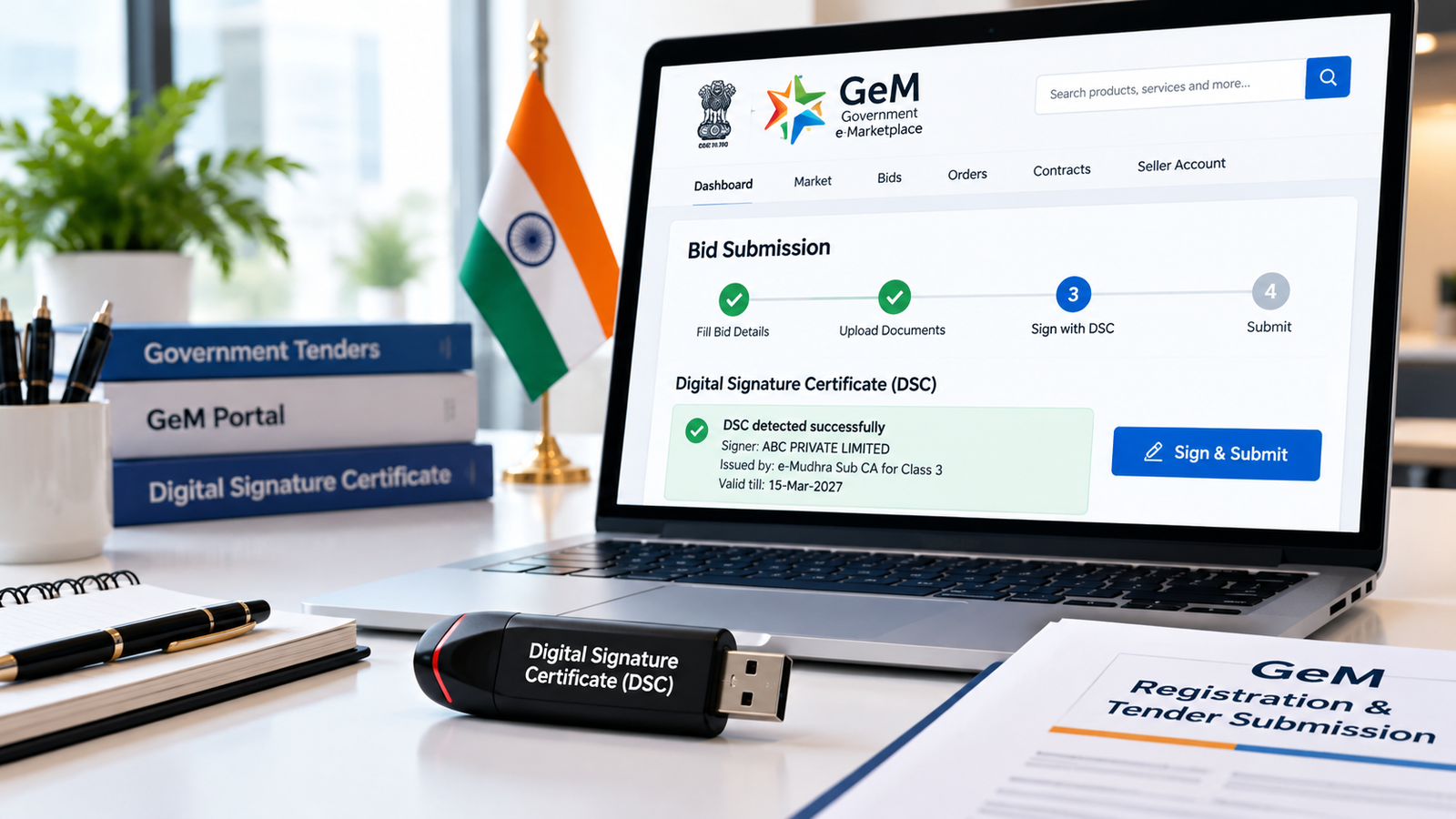
How to Use a Digital Signature Certificate for GeM Registration and Tender Submission
A Digital Signature Certificate for the GeM portal is one of the first things suppliers, contractors and service providers look into when they decide to sell to the government. The Government e-Marketplace (GeM) is India’s online platform for public procurement, and many of its activities, such as submitting bids and accepting contracts, need a secure digital signature.
In this guide, you will learn what a DSC is for GeM, when it is needed, how to register it, and how to sign bids digitally without errors. We also cover how the same certificate relates to other government e-tender portal
What Is a DSC for the GeM Portal?
A Digital Signature Certificate (DSC) is a secure digital key issued by a Certifying Authority (CA) licensed by the Controller of Certifying Authorities (CCA), India. It is usually stored on a password-protected USB token and carries the holder’s name, email, validity and the issuing authority.
On GeM, a DSC lets an authorised person sign bids, contracts and other documents electronically. A signature made with a valid DSC is legally recognised under the Information Technology Act, 2000.
Is a DSC Required on GeM? DSC vs Aadhaar eSign
This is the question most sellers ask first, and the honest answer is that it depends on the activity. GeM supports more than one way to authenticate and sign. Depending on the action you are performing, the portal may prompt you for an Aadhaar eSign or for a Digital Signature Certificate. Requirements can also differ between sellers, service providers and buyer organisations, and individual bids can carry their own conditions.
| Method | What It Is | Things to Know |
|---|---|---|
| DSC (Class 3) | Certificate on a USB token, signed with your token PIN | Needs a token, driver and signer utility. Valid for 1–3 years |
| Aadhaar eSign | OTP-based signing linked to your Aadhaar-registered mobile | No token needed, but offered only where the portal supports it |
Note: Always follow the option the GeM portal shows for your specific action, and check the bid document for any extra signing conditions.
Which DSC Class Is Needed for GeM?
A Class 3 DSC is the standard choice for GeM and other government e-procurement activity. Class 2 certificates were discontinued by the CCA from January 2021 and merged into Class 3, so a fresh Class 2 DSC is no longer issued. Make sure the DSC is issued in the name of the authorised signatory who will sign on behalf of your business.
Not sure what happened to Class 2? Read our guide on the Class 2 Digital Signature Certificate in Bangalore.
Who Needs a DSC for GeM and Government Tenders?
| Applicant | Typical Certificate | Notes |
|---|---|---|
| Proprietor / individual seller | Class 3 Individual DSC | Issued in the proprietor’s name |
| Company / LLP / firm | Class 3 Organisation DSC | Issued to the authorised signatory with organisation details |
| Service provider / contractor | Class 3 DSC | Match what the portal and tender require |
Not sure which one fits you? See Individual DSC vs Organisation DSC: Which One Do You Need?
Where Is a DSC Used on GeM?
- Signing and submitting bids on the GeM portal
- Accepting contracts and orders, where a signature is requested
- Signing documents that the portal asks you to authenticate
- Participating in reverse auctions, where the portal prompts for a signature
How to Get Your DSC Ready for GeM (Step by Step)
- Buy a DSC: Purchase a Class 3 DSC from a licensed Certifying Authority through an authorised provider.
- Complete verification: Finish Aadhaar e-KYC or video verification so the certificate can be issued.
- Install the driver: Install the USB token driver provided for your token. See our USB drivers and utilities page.
- Install the signer utility: Install the DSC utility or signer application that the GeM portal asks for, and keep it running while you work.
- Log in to GeM: Sign in to your seller or service provider account.
- Register or update your DSC: Follow the DSC registration option shown on the portal, select your certificate and enter the token PIN.
- Test it: Confirm the portal recognises the certificate before you need it for a live bid.
Note: Menu names and steps on the GeM portal can change. Follow the latest instructions shown on gem.gov.in.
How to Sign GeM Bids Digitally Using DSC
- Plug in your USB token and start the signer utility.
- Log in to your GeM seller account and open the bid you want to participate in.
- Read the bid document, terms and eligibility conditions carefully.
- Upload the required documents and fill in the pricing or technical details as asked.
- Review everything on the bid preview before submitting.
- When the portal prompts for authentication, choose the DSC option, select your certificate and click Sign.
- Enter your token PIN. Download and save the bid acknowledgement after successful submission.
Submit well before the closing time. Last-minute signing problems are the most common reason bids are missed.
DSC for Other Government e-Tender Portals
Many suppliers bid on GeM as well as on central and state e-procurement portals. A few points help avoid mistakes:
- Register separately on each portal. A DSC registered on one portal does not automatically work on another.
- Check the certificate type. Some tender portals ask for a signing certificate and an encryption certificate, so read the tender document before buying.
- Do not assume one DSC fits every tender. Requirements vary by portal and by tender, so always match the bid conditions.
Common DSC Errors on GeM and How to Fix Them
| Problem | Likely Cause | Solution |
|---|---|---|
| Certificate not detected | Token driver missing or token not recognised | Reinstall the driver, try another USB port, restart the browser |
| Signer utility not detected | Utility not running or outdated | Run it as administrator and install the latest version |
| DSC registration failed | Wrong certificate selected or details mismatch | Select the correct signing certificate and check the name and PAN details |
| DSC expired | Validity (usually 1–3 years) has ended | Renew the DSC and register it again on the portal |
| Wrong PIN / token locked | Too many incorrect PIN attempts | Contact your Certifying Authority provider to unblock the token |
If your certificate is close to expiry, read How to Renew DSC in Bangalore.
Tips to Use Your DSC Safely
- Never share your USB token or PIN with anyone you do not fully trust.
- Register and test your DSC on the portal well before the bid deadline.
- Set a reminder to renew at least 15 days before expiry.
- Keep the contact details of your DSC provider handy for quick support.
How Much Does a DSC Cost?
The price depends on the certificate type, validity and selected services. As per iSaral’s current published pricing schedule:
| DSC Type | Validity | Price |
|---|---|---|
| Individual DSC | 1–3 Years | ₹846 – ₹1,179 |
| Organisation DSC | 1–3 Years | ₹849 – ₹1,499 |
| USB Token (Precision / Hyper) | — | ₹495 / ₹594 |
Prices can change and may vary with selected services. Confirm the final payable amount, including GST, before ordering.
Ready to Take Your DSC?
Contact iSaral Business Solutions for DSC assistance in Bangalore, so you are ready before your next GeM bid deadline.
- Licensed CA Access — issued only through CCA-licensed Certifying Authorities
- Guided Verification — help completing e-KYC and video verification
- Free Installation Help — get your token and certificate working
- Fast Turnaround — apply ahead of your bid deadline
Frequently Asked Questions (FAQs)
1. Is a DSC required for the GeM portal?
It depends on the activity. For some actions GeM prompts for Aadhaar eSign, and for others a DSC. Follow the option the portal shows, and check the specific bid conditions.
2. Which DSC is required for GeM?
A Class 3 DSC is the standard choice for GeM and government e-procurement. Class 2 is no longer issued.
3. Can I use the same DSC on GeM and other tender portals?
You can use the same certificate, but you must register it separately on each portal. Some portals also need a signing and an encryption certificate, so check the tender document.
4. Do I need a DSC to log in to GeM?
Login generally uses your account credentials and verification. A DSC is used where the portal asks you to sign. Follow the latest instructions on the portal.
5. Can a proprietor use an Individual DSC for GeM?
Often yes, but you should match whatever the portal and the specific tender require. If unsure, ask our team before buying.
6. What if my DSC is not detected on GeM?
Check that the token driver and signer utility are installed and running, try another USB port, and restart your browser. If it still fails, contact your DSC provider.
Ready to Take Your DSC?
Contact iSaral Business Solutions for DSC renewal assistance in Bangalore — before your certificate expires.
- Licensed CA Access— renewed only through CCA-licensed Certifying Authorities
- Guided Verification— help completing eKYC and video verification
- Free Installation Help— get your token and certificate working, guaranteed
- Fast Turnaround— renew ahead of your filing deadline
Conclusion
Using a Digital Signature Certificate for GeM is simple once your certificate, token driver and signer utility are set up and tested. Choose a Class 3 DSC in the name of your authorised signatory, register it on the portal early, and keep it renewed so you never miss a bid.
Need help choosing the right DSC or setting up your token? Contact our experts today and get ready for your next government tender. You may also like our guide on DSC for GST Filing: Who Needs It and How to Use It.
Disclaimer: This article is for general information only. GeM and other e-procurement portal requirements and procedures change from time to time, so please verify with the official GeM portal (gem.gov.in) or the relevant tender document before applying.